
Every search operator. None of the memorization.
Sirch is a visual query builder for advanced web search. Pick operators, preview the query, and launch it in any of 20 engines — in the browser you already use.
One tap away. No cheat sheet.
- site:domain filter
site:stackoverflow.comPoint the full weight of a search engine at a single site.
- filetype:document hunt
filetype:pdfPDFs, spreadsheets, slide decks. Straight to the document.
- " "verbatim match
"exact phrase"Exact words, in that exact order. No fuzzy guessing.
You already know what you're looking for. Sirch helps you say it in the language search engines actually understand.
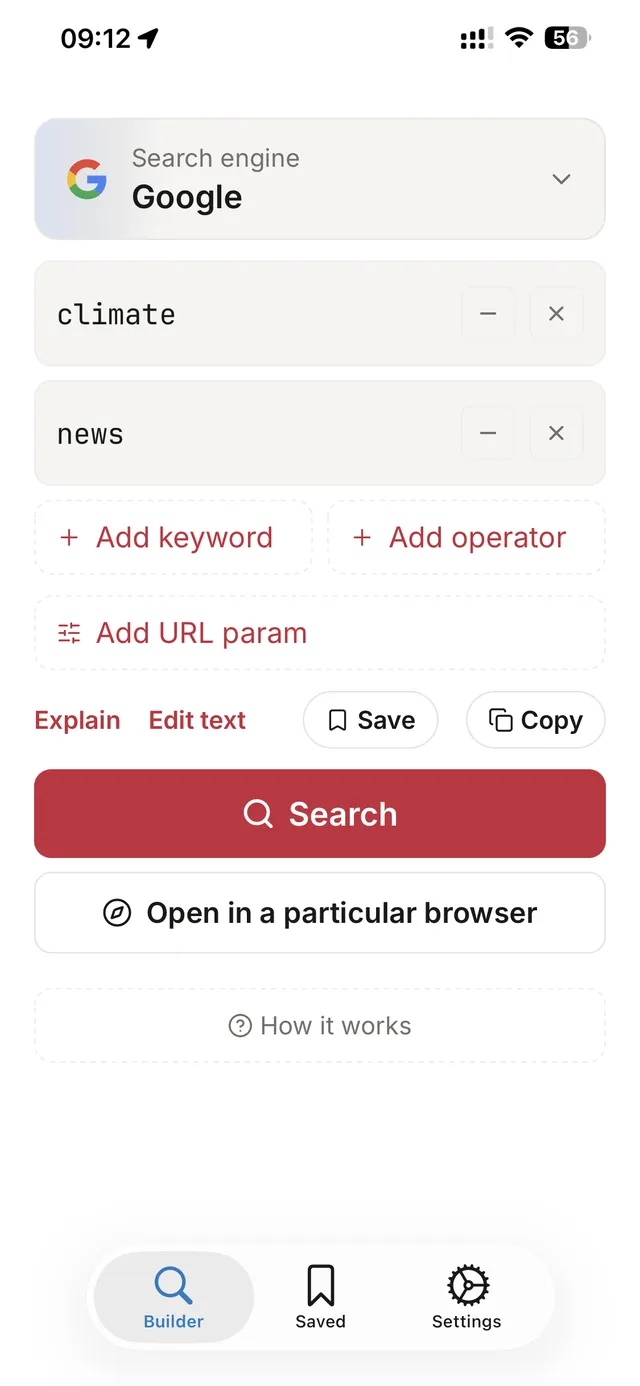
Build the query visually.
Every search engine speaks a hidden language — site:, filetype:, intitle:, exact phrases, exclusions, OR groups. Most people never learn it. Sirch turns that language into structured, tappable rows: pick an operator, fill in the value, watch the query assemble itself in a live preview. An explain mode reads any query back to you in plain words, so you always know exactly what you're about to launch.
No syntax to memorize. No cheat sheet pinned to your second monitor.
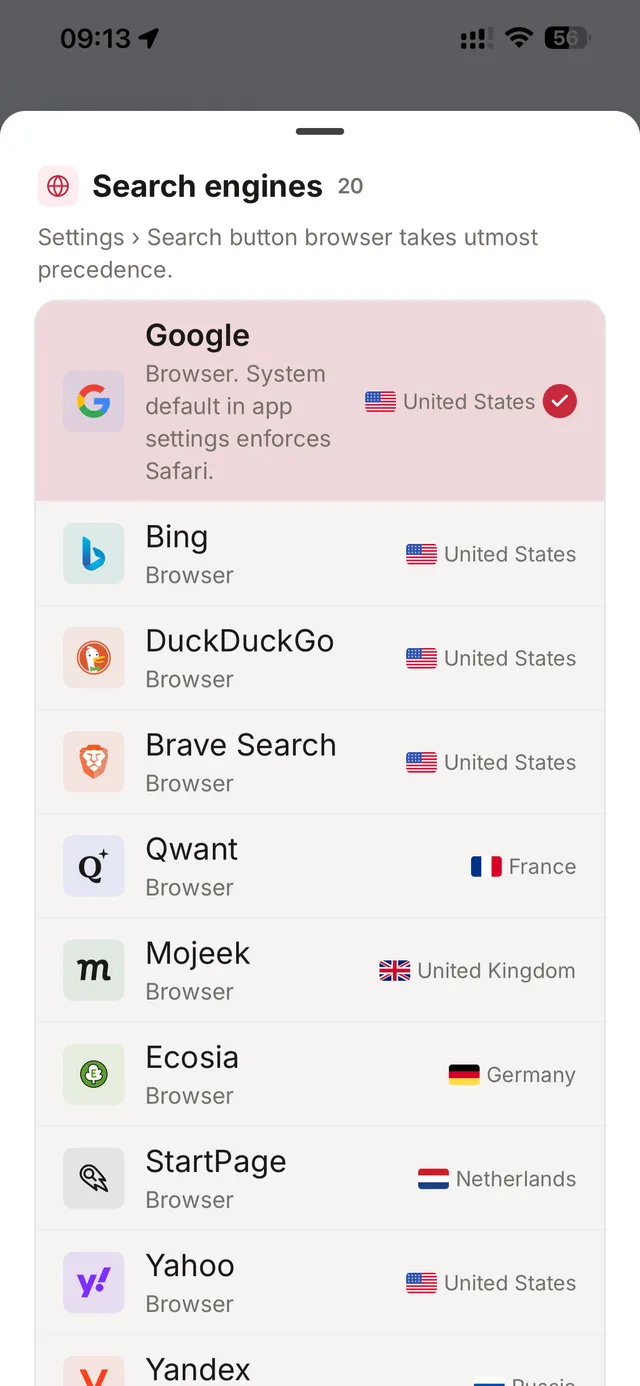
One query. Twenty engines. Every browser.
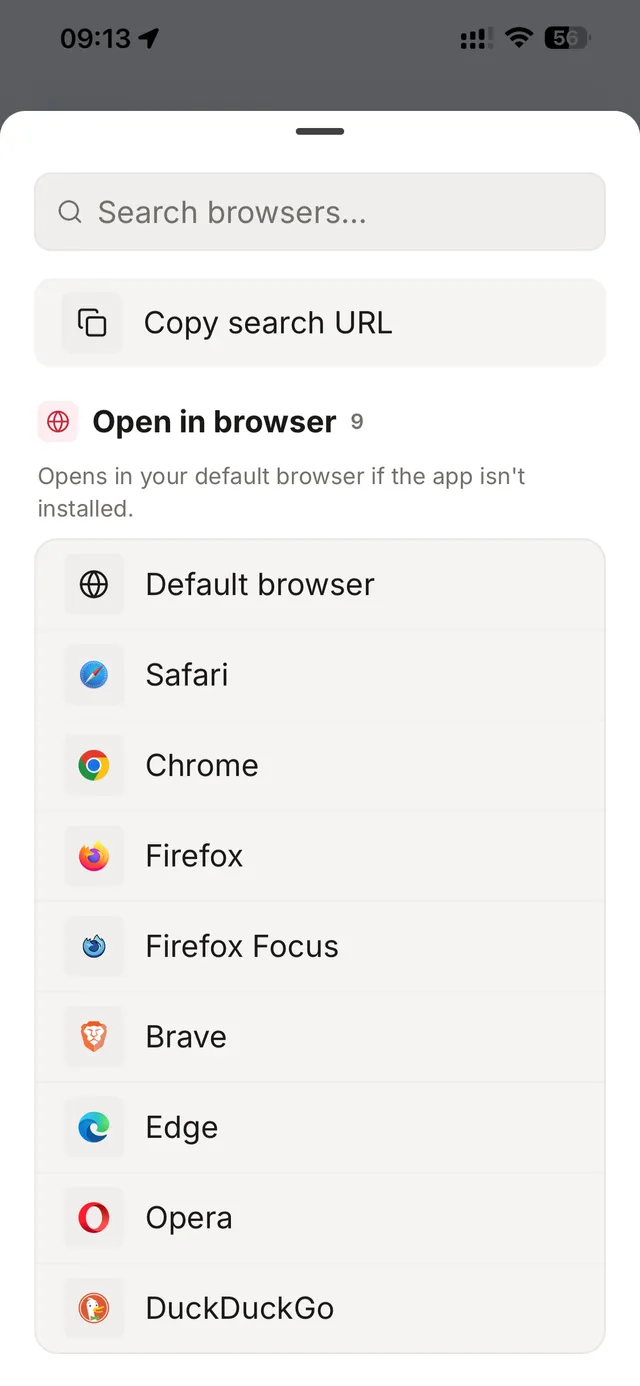
Google, Bing, DuckDuckGo, Brave, Qwant, Mojeek, Ecosia, Startpage — plus a dozen more, from Yandex to Marginalia. Build once, then launch in the engine that fits the job. Pick a browser and the query opens there — if that browser isn't installed, your default browser takes over. Or just copy the URL and share it.
Switching engines never means rebuilding the query.
Keep the queries that work.
Good queries are assets. Sirch keeps a full history of everything you launch, and lets you save the keepers into folders for the next investigation. Everything lives on your device — on iOS it can sync to your own iCloud, on Android to a cloud folder you choose. No account, no sign-up, no server of ours in the middle.
Your research trail belongs to you. Uninstall and it's gone.
Twenty engines. One builder.
Build the query once. Launch it wherever it works best.
- Bing
- DuckDuckGo
- Brave
- Qwant
- Mojeek
- Ecosia
- Startpage
- Yahoo
- Yandex
- Swisscows
- Marginalia
- Search.ch
- Lilo
- Tusk
- Oscobo
- Dogpile
- Wiby
- 100 Search Engines
- Yep
Free to start. One payment to remove the daily cap.
The full builder, every engine, your history and saved queries — yours from the first launch. The daily cap is the only thing Premium removes.
Free
$0forever
- Visual query builder with live preview
- All 20 search engines
- Explain mode — plain-words query breakdown
- Search history, saved queries and folders
- iCloud sync (iOS) or cloud-folder backup (Android)
- Dark and light themes
- Three launches per day
Premium
One-timeunlock
- Everything in Free
- Unlimited daily launches
- Direct support from the developer
Buy once inside the app. No account required.
Questions, mostly pre-empted.
What is Sirch?
Sirch is a visual query builder for advanced web search. It helps researchers, journalists, OSINT practitioners, and power users construct precise search queries using operators — site:, filetype:, intitle:, exact phrases, exclusions, OR — through a clean, structured interface instead of memorized syntax. Build the query, preview it, and launch it in the engine and browser of your choice.
What are search operators?
Search operators are special commands search engines understand — site: limits results to one domain, filetype: hunts specific document types, quotes force an exact-phrase match, a minus sign excludes a term. They are the difference between 10 million vague results and the twelve you actually need. Sirch makes every operator one tap away and explains what each one does in plain words.
Can I control search URL parameters?
Yes — beyond query operators, Sirch exposes each engine's URL parameters as structured controls: region and language, SafeSearch, time filters including custom date ranges, result type (web, images, news, videos), country restriction, results per page, and skip-to-result jumps. Platform targets like Reddit, YouTube, and GitHub get their own filters — sort, upload date, duration, result kind. Parameters vary by engine, and each carries a reliability label (confirmed or community-reported) so you know how much to trust it. Everything lands in the final URL, visible in the live preview before you launch.
Which search engines are supported?
Twenty engines: Google, Bing, DuckDuckGo, Brave, Qwant, Mojeek, Ecosia, and Startpage as primary engines, plus Yahoo, Yandex, Swisscows, Marginalia, Search.ch, Lilo, Tusk, Oscobo, Dogpile, Wiby, 100 Search Engines, and Yep. You build the query once and can launch it in any of them.
Can I open results in my own browser?
Yes. Sirch lists the browsers on your device — Safari, Chrome, Firefox, Brave, and others — and opens the query in the one you pick. Launching relies on that browser actually being installed; if it can't take the URL, the query opens in your default browser instead. You can also copy or share the URL, which is a plain link — nothing is proxied through our servers, because we don't have servers.
Is Sirch a subscription?
No. Sirch is a one-time purchase — pay once, own it forever. The Free tier gives you the complete app with a three-launches-per-day cap. Premium is a single in-app purchase that removes the cap. No recurring fees, no in-app currency, no account required.
Is my data private?
Your search history and saved queries live in an on-device database. There is no Sirch account and no Sirch server. On iOS you can optionally sync to your own iCloud; on Android you back up to a cloud folder you choose (Drive, Dropbox, or local storage). The app uses Firebase Crashlytics for anonymous crash reports — that is the only data that leaves the device, and it contains no queries. Uninstall the app and your local data is gone.
Does Sirch work offline?
Building queries works fully offline — the builder, preview, explain mode, history, and saved queries never need a connection. Launching a query opens it in a search engine, so that final step needs internet access, same as any search.
What devices are supported?
Sirch runs on iPhone and iPad (iOS 16.4+), on Android phones and tablets, and on Apple silicon Macs via Designed for iPad — on macOS, queries launch in Safari or whichever browser is set as your macOS default. With a hardware keyboard on iPad or Mac, every core action has a shortcut: ⌘⏎ to search, ⌘K for the command palette, ⌘1–⌘9 to switch engines, ⌘S to save a query, and more. Dark and light themes are supported on all platforms.
How do I get a refund?
Refunds are handled directly by Apple and Google. On iOS, visit reportaproblem.apple.com to request a refund. On Android, request a refund through your Google Play account. We cannot process refunds directly, but the platform procedures are quick and straightforward.